
Briefings / Post
Microsoft 365 went down. Watch for the fake emails that follow.
At 12:54 PM ET on Thursday, November 12, Microsoft's @MSFT365Status account said it was investigating reports of users who couldn't reach Exchange Online mailboxes in the Americas. The incident number is EX1550543. Thirteen minutes later, Microsoft said the issue "may affect Microsoft 365 service connectivity for users in any region."
As of about 5:50 AM ET Friday, Microsoft's public status page read: "Users may be unable to connect to multiple Microsoft 365 services." At 5:28 AM ET, Microsoft posted that "service health remains variable and capacity has not yet fully returned to baseline." It has also extended the email timeout window to 48 hours, so mail that got stuck keeps trying to deliver.
Microsoft has pointed to servers failing automated health checks. CNBC reported that Microsoft said it was not aware of any malicious activity causing the outage. None of Microsoft's status posts on this incident call it a hack.
Update, 7 AM ET Friday: At 6:11 AM ET, Microsoft posted that it was "seeing improvements in key scenarios, including mailbox access and delayed email processing, though some intermittent issues may continue." Its 7 AM ET status update set a time for the next update, not for full recovery. Microsoft says features of Microsoft 365 services that interact with Exchange Online and email are affected, and parts that don't depend on Exchange Online still work. Its list includes Exchange Online, Teams, SharePoint Online, Copilot and Microsoft Defender XDR. For Teams, it says most core functions, like calls, meetings and chats, are not impacted. On cause, Microsoft said Thursday the problem was "a number of servers being unexpectedly unavailable; straining the remaining infrastructure." Its 7 AM update says: "At this time, we have no evidence of malicious activity associated with this incident." And the 48-hour email timeout window "remains in place to help protect delayed messages as delivery catches up."
Troy Hunt, who founded Have I Been Pwned, posted Thursday night: "I'm now locked out of a bunch of services that use email for login. It's a massive business disruption."
That line stuck with me. Your email inbox is the spare key to half your other accounts.
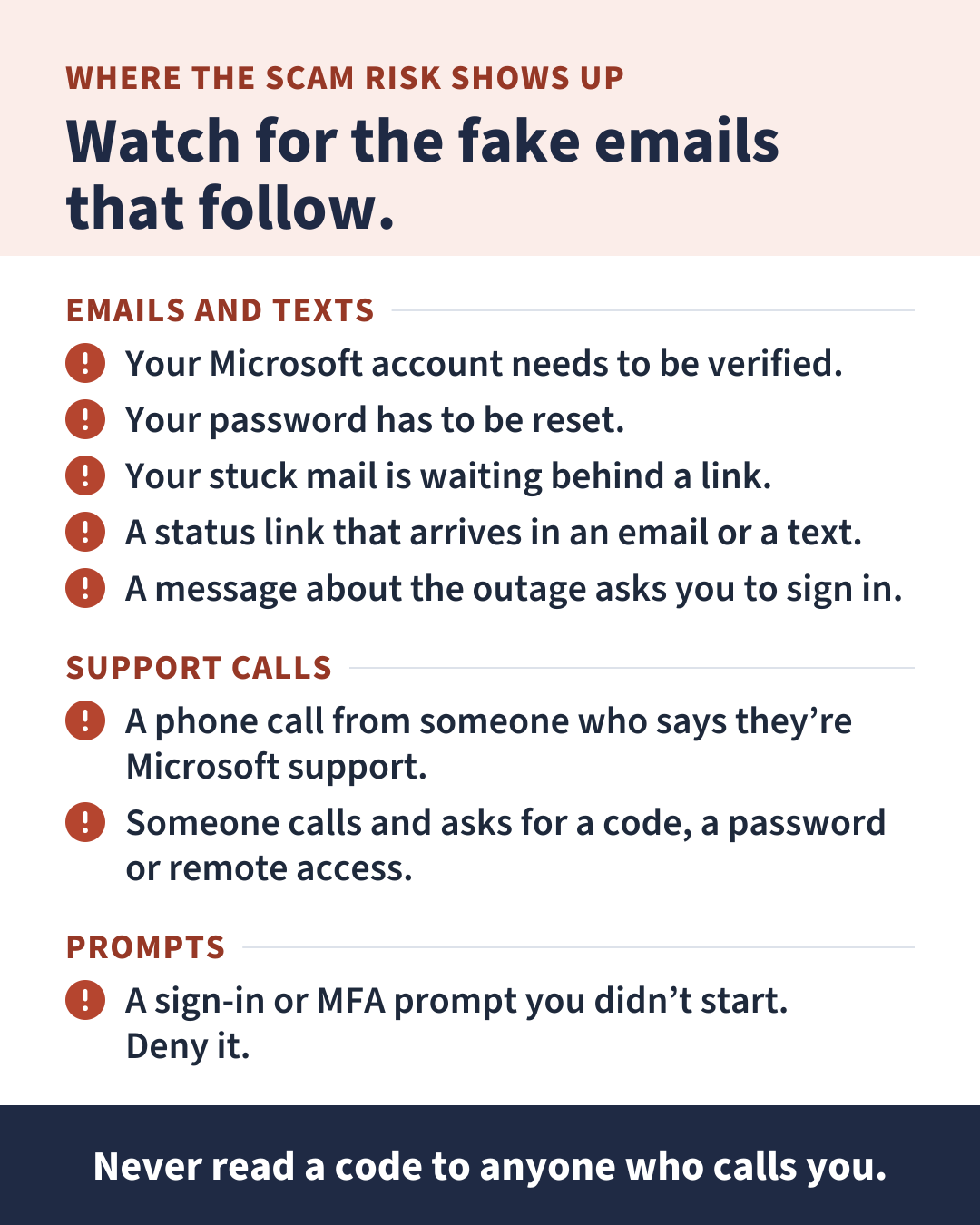
Where the scam risk shows up
We have seen this pattern before. During the CrowdStrike outage in July 2024, CISA wrote: "CISA has observed threat actors taking advantage of this incident for phishing and other malicious activity."
I'd expect the same here. Picture the message: your Microsoft account needs to be verified, your password has to be reset, your stuck mail is waiting behind a link. Or a phone call from someone who says they're Microsoft support. My guess is the risky stretch is when mail comes back and your team is clearing a pile of delayed messages in a hurry.
Six things I'd do at a small business right now
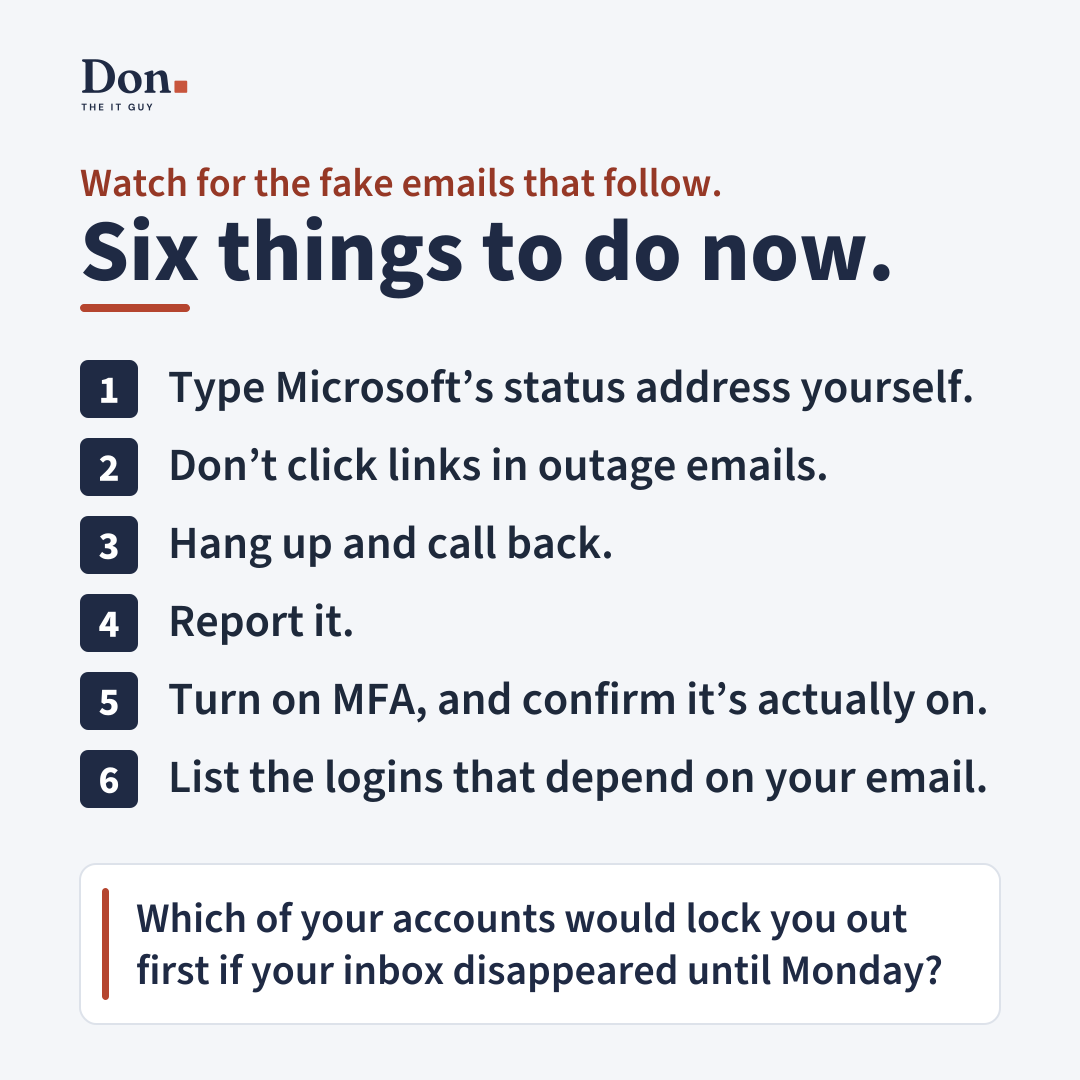
1. Check status only with Microsoft, and type the address yourself. If you're the admin, sign in at admin.microsoft.com, open Service health and look for EX1550543. Microsoft's later updates point to MO1550821 for the fuller write-up. If you can't sign in, Microsoft points people to its public status page at status.cloud.microsoft and to @MSFT365Status on X. Don't trust a status link that arrives in an email or a text.
2. Don't click links in outage emails. If a message about the outage asks you to sign in, close it. Microsoft's own advice is to "open a new tab in your web browser and go directly to the organization's website" instead of using the link.
3. Hang up and call back. Microsoft says: "Unless you contact us first, Microsoft won't call you to offer tech support." If someone calls claiming to be Microsoft or your IT team and asks for a code, a password or remote access, hang up. Call back on a number you already have, like the one in your contract or saved in your phone, not the one in the message.
Same goes for prompts. If you get a sign-in or MFA prompt you didn't start, deny it and tell IT. Never read a code to anyone who calls you.
4. Report it. If the suspicious message is in Outlook, use the Report button to flag it as phishing if your Outlook shows one, or forward it to your IT person. If someone posing as Microsoft reached you by phone, email or pop-up, Microsoft takes reports at microsoft.com/reportascam.
5. Turn on MFA, and confirm it's actually on. Microsoft's built-in MFA option, called security defaults, is available in all Microsoft 365 organizations through Microsoft Entra ID Free. Microsoft also says tenants created after October 2019 have security defaults turned on by default. Older tenant? Have someone check in the Microsoft Entra admin center.
One catch. If your IT provider set up Conditional Access policies, security defaults will show as off. That's expected. Microsoft says those policies prevent you from enabling security defaults, and its security defaults page says companies using them to replace security defaults must turn the defaults off. Don't delete policies just to flip defaults on. And if sign-ins are still flaky, look now and make changes once service is stable.
6. List the logins that depend on your email. Banking, payroll, your domain registrar, your accounting software. For each one, know how you'd get in if email went dark for a day.
Which of your accounts would lock you out first if your inbox disappeared until Monday?
A free weekly briefing, Tuesday mornings. About 2 minutes.
Get the briefing
About 2 minutes. The scam, breach, or tech change that could cost your business money.
No spam. Unsubscribe anytime. (Submitting opens Buttondown in a new tab.)
You'll get a short welcome note now, then one issue a week.
Don Zurbrick, Don the IT Guy
727-465-3607
Sources
- @MSFT365Status, first EX1550543 post, November 12, 2026, 12:54 PM ET (checked November 13, 2026, 5:49 AM ET)
- @MSFT365Status, any-region update, November 12, 2026, 1:07 PM ET (checked November 13, 2026, 5:49 AM ET)
- @MSFT365Status, recovery update, November 13, 2026, 5:28 AM ET (checked November 13, 2026, 5:49 AM ET)
- Microsoft service health status page (checked November 13, 2026, 5:49 AM ET)
- Microsoft status page feed, Microsoft 365 update published November 13, 2026, 7:00 AM ET (checked November 13, 2026, 7:13 AM ET)
- @MSFT365Status, servers unexpectedly unavailable, November 12, 2026, 2:31 PM ET (checked November 13, 2026, 5:49 AM ET)
- @MSFT365Status, progress update, November 13, 2026, 6:11 AM ET (checked November 13, 2026, 7:13 AM ET)
- @MSFT365Status, recovery update, November 13, 2026, 7:09 AM ET (checked November 13, 2026, 7:13 AM ET)
- Troy Hunt on X, November 12, 2026 (checked November 13, 2026)
- CNBC, Microsoft outage, updated November 13, 2026 (checked November 13, 2026)
- CISA, Widespread IT Outage Due to CrowdStrike Update, July 19, 2024 (checked November 13, 2026)
- Microsoft Learn, How to check Microsoft 365 service health (checked November 13, 2026)
- Microsoft Support, Protect yourself from online scams and attacks (checked November 13, 2026)
- @MSFT365Status, update pointing to MO1550821, November 13, 2026, 12:01 AM ET (checked November 13, 2026, 5:49 AM ET)
- Microsoft Learn, Report phishing and suspicious emails in Outlook (checked November 13, 2026)
- Microsoft, Report a technical support scam (microsoft.com/reportascam) (checked November 13, 2026)
- Microsoft Learn, Security defaults for Microsoft Entra ID (checked November 13, 2026)
- Microsoft Learn, Set up multifactor authentication for Microsoft 365 (checked November 13, 2026)